


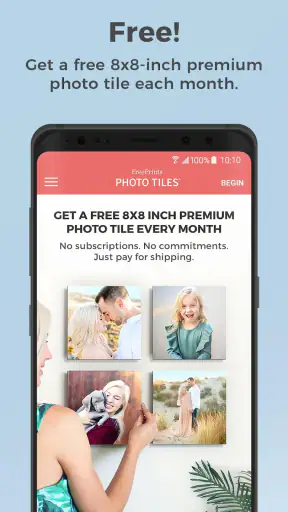
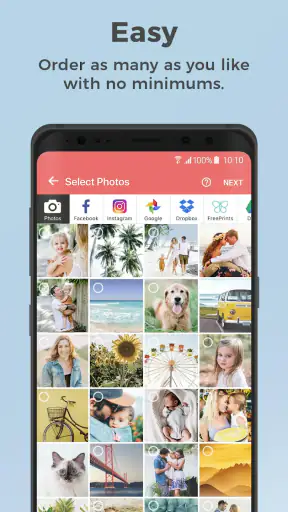
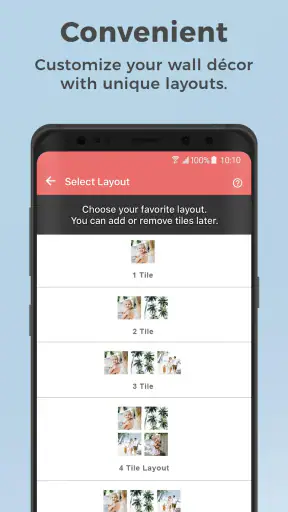
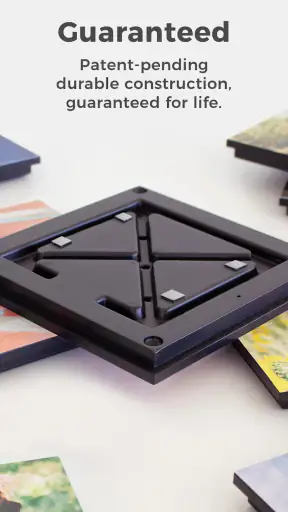
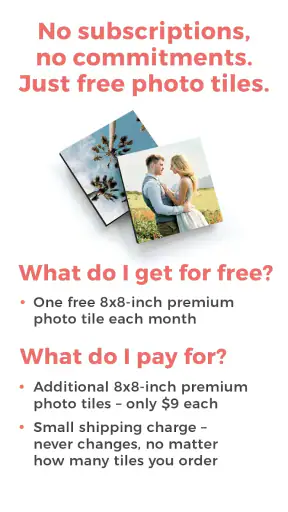
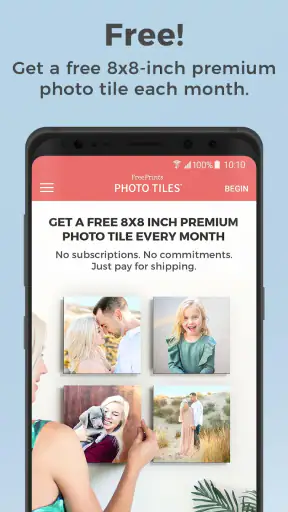
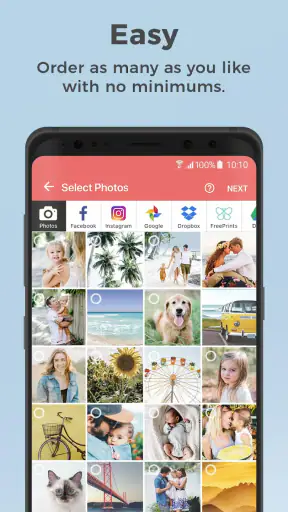
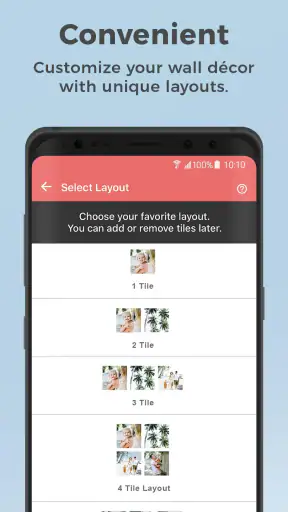
I like photo apps that turn a finished memory into something I can actually use, rather than leaving every picture buried in my camera roll. FreePrints Photo Tiles takes that simple idea and makes it unusually easy: I choose a photo, prepare it for a wall tile, and order a physical decoration without paying for a subscription. The app is free to install, and its central offer is one complimentary photo tile each month, with the user covering any applicable delivery cost shown during checkout.
That distinction matters. This is not a full photo editor, a digital collage maker, or a replacement for a professional print laboratory. It is a focused photography app from PlanetArt for people who want to put selected images on the wall with very little effort. In my experience, its appeal comes from reducing the distance between “that would look nice printed” and actually ordering it.
How the photo tile experience works in everyday use
The first useful decision is choosing the right picture. A tile gives a photo more presence than a small print, but it also makes weak images easier to notice. I would start with a bright, sharp picture that has a clear subject: a child’s expression, a pet looking toward the camera, a travel landmark, or a close family moment. Dark indoor shots and heavily cropped screenshots are much less convincing once enlarged.
The app is most comfortable when I treat the monthly tile as a small decorating project rather than a random reward. I might select one image from a recent event, check how the crop sits around faces, and then compare it with the wall where I expect to place it. A portrait-oriented image can work well for a single person, while a wide group photo usually needs more breathing room. If the preview trims someone near an edge, I would go back to the original image instead of hoping the final product will rescue the composition.
One practical tip is to create a temporary album on the phone before opening the order flow. I can place several candidates there, including a full-frame version and a slightly wider alternative. That makes it easier to compare the crop without repeatedly searching through hundreds of camera-roll images. It also prevents the common mistake of selecting a picture because it looks good as a phone thumbnail, only to discover that the important detail sits too close to the border.
The free monthly tile is the main reason to return, but I would not rush the choice just to use the allowance. A carefully selected image has more value than an ordinary snapshot ordered on autopilot. If I have no suitable picture this month, waiting for a better moment makes sense. The service is designed around regular, low-pressure use, not around filling an entire wall in one sitting.
What the free offer really means for planning
The phrase “free” deserves a realistic reading. The tile itself is offered without a subscription or long-term commitment, but delivery-related charges can still affect the final checkout total. I would always review the complete order summary before confirming, especially if I am adding extra tiles or other products. That is not a flaw unique to this app, but it is the detail most likely to surprise someone who reads only the headline offer.
There is no need to plan around a recurring membership, which is a genuine advantage for occasional users. I can try one tile, decide whether I like the result, and stop there. The trade-off is that the best value depends on patience: ordering frequently may make sense for someone building a rotating display, while a person seeking a single premium statement piece may prefer a specialist printer with more control over materials and finishing.
I also recommend grouping decisions before checkout. If I want one tile for the current month and additional tiles for a birthday display, I would prepare all images first and inspect the basket carefully. This avoids paying for an accidental duplicate and makes it easier to compare how a set of pictures will look together. A row of unrelated images can feel cluttered; a simple theme, such as one trip or one family season, usually looks more intentional.
Image choice is more important than editing skill
FreePrints Photo Tiles is not the place I would go for advanced retouching. Its strength is the physical product workflow, so I prefer to edit photos beforehand with the phone’s built-in tools or a dedicated editor. A small adjustment to exposure, warmth, or straightening can make a bigger difference than applying a dramatic filter inside an app.
Before ordering, I check three things. First, are faces and important objects safely inside the visible area? Second, does the image still look natural after cropping? Third, will the colors make sense beside the intended wall and nearby furniture? These checks sound basic, but they address the most common disappointment with photo décor: the final piece is technically correct, yet the chosen image was not prepared for the format.
A less obvious workflow is to use the tile as a visual test for future prints. I can choose one favorite image, see how it works as wall art, and only then consider ordering a larger group. This is cheaper and less risky than committing to a whole gallery immediately. It is especially useful when I am unsure whether candid family photos, phone portraits, or landscape shots suit the room.
Where it fits among ordinary photo-printing alternatives
Compared with ordering standard prints, the tile format removes the need for a frame and makes the result feel more finished as soon as it arrives. A regular print is usually more flexible: I can change frames, store it in an album, or give it as part of a card. The tile is better when I already know I want something visible on a wall.
Compared with a traditional canvas or framed enlargement, the free monthly approach is more approachable and less of a commitment. I can experiment with a small memory without spending heavily on a centerpiece. The compromise is that people seeking museum-style materials, exact color matching, unusual sizes, or custom framing will likely be happier with a specialist print service.
Compared with digital wallpaper and social-media albums, a tile has permanence and physical presence. It does not depend on a screen, an account, or a feed algorithm to be seen. On the other hand, digital options are instant, searchable, and effortless to update. I see this app as a bridge between casual phone photography and home décor, not as a universal answer for every way of sharing pictures.
Who will get the most from it
This app makes sense for someone who takes plenty of phone photos but rarely prints them. It is also a good fit for renters, students, new parents, pet owners, and anyone who wants to refresh a small personal display gradually. Because there is no subscription commitment, I can use it occasionally without feeling that I am wasting a paid plan during quiet months.
A realistic example would be a family that takes a picture during a child’s first school week. Instead of leaving it in a shared album, one parent chooses the clearest image, checks the crop, and orders a tile for the hallway. The next month, they might select a pet photo or a snapshot from a weekend trip. Over time, the wall becomes a record of ordinary moments rather than a single expensive renovation project.
It can also work as a thoughtful small gift, provided I know the recipient’s taste and have a high-quality image. I would be cautious with surprise orders for someone who dislikes wall decorations or has limited space. A photo tile is personal, but it is also visible, so the recipient should have somewhere suitable to put it.
I would skip it if my priority is professional archival printing, exact reproduction for photography work, or a large custom installation. I would also look elsewhere if I need a print immediately, because the process involves ordering and delivery rather than instant digital output. People who want extensive layout tools, text overlays, filters, or scrapbook-style design may find a dedicated photo-book or collage app more appropriate.
Small frictions worth knowing before ordering
The biggest limitation is the narrow purpose. The app does one kind of job well, but it does not replace the broader control offered by a full photo editor. I need to arrive with a reasonably good image and a clear idea of where it will go. Users expecting to repair blur, remove distracting objects, or build a complex composition may feel constrained.
The monthly structure can also influence behavior in an unhelpful way. A reminder to claim a tile may encourage unnecessary orders, especially when the available photo is merely acceptable. I prefer to treat the offer as an option, not a deadline. The best result comes from choosing a meaningful picture, not from maximizing the number of shipments.
Delivery is another part of the experience that deserves attention. The app handles the order, but the final satisfaction depends on packaging, transit, and the condition of the delivered piece. I would inspect the tile when it arrives and keep the order information until I am happy with it. That simple habit is useful with any physical photo service and avoids confusion if something needs attention.
Privacy-conscious users should think about the nature of the images they upload. A photo ordered as a physical product has to pass through an online service, so I would avoid using pictures that I would not want handled outside my phone. This is not a reason to reject the app, but it is a sensible boundary for private documents, sensitive family situations, or images containing information that should never be printed.
Device support and the current app experience
The application has been available since May 2018 and its current release is version 7.65.2. It requires Android or iOS 10 or newer, so it is aimed at devices that are not extremely old. On a compatible phone, I would still keep the operating system and app updated before placing an order, because image pickers, payment screens, and photo permissions can behave poorly when software is far behind.
The app is rated for Everyone, which matches its straightforward family-photo purpose. It has reached over a million installs, with an average rating of 4.9 from roughly sixty-five thousand ratings and about five thousand six hundred written reviews. Those figures suggest that the central ordering idea is resonating with many users, although they should not replace my own checks of crop previews, delivery charges, and image quality.
Because it is free to download, trying the workflow costs little beyond the time spent preparing a photo. I would grant photo access selectively if the phone offers that option, rather than exposing the entire library without a reason. After selecting an image, I would review every screen before submitting: the chosen picture, its framing, the number of items, the delivery details, and the final amount.
My practical routine for getting a better result
I would use a simple five-step routine. I first make a shortlist of images in a separate album. Then I remove pictures with motion blur, distracting edges, or faces partly hidden by the crop. Next, I make light edits outside the app, keeping the original file untouched. After that, I preview the image as wall art rather than judging it only on the phone. Finally, I inspect the checkout total and delivery information before confirming.
For a group of tiles, I would avoid choosing five images that all have different lighting and visual moods. A consistent color feel can make inexpensive, gradual decorating look deliberate. If the photos come from different years, I might convert some to a similar tone before ordering, but I would not force every image into black and white if the original colors carry the memory.
Another useful idea is to photograph the intended wall first. I can hold the phone at the approximate viewing distance and use that image to imagine whether the tile will compete with shelves, switches, or frames. This is especially helpful in small rooms, where a single strong image may work better than a crowded arrangement. The app makes ordering easy; the room still determines whether the result feels right.
My final view after using the concept as intended
FreePrints Photo Tiles is best understood as a low-commitment path from phone gallery to wall decoration. I appreciate that PlanetArt keeps the basic proposition simple: select a photo, order a tile, and return when another memory deserves a place at home. The free monthly item is attractive because it invites experimentation without forcing a subscription, while the focused format keeps the process less overwhelming than a full custom-printing catalog.
My recommendation comes with clear conditions. I would suggest it to a casual photographer who wants physical memories, is comfortable checking delivery costs, and can choose images with enough quality for the format. I would not suggest it to a professional photographer, someone demanding extensive design control, or anyone who needs an immediate digital or framed result.
Used thoughtfully, the app turns the ordinary rhythm of taking pictures into a gradual, personal display. The smartest approach is not to order every month automatically. Instead, wait for an image that deserves the wall, prepare it carefully, and treat the tile as a small piece of décor rather than just another printed file. For that specific purpose, this free photography app is easy to recommend.


